
With Docutain you have the possibility to set the page format of your PDF documents when sharing/exporting as well as for the locally saved PDF documents.
How it works is explained in this article:
1. Set page format when sharing PDF documents
2. Set page format for locally saved PDF documents
1. Set page format when sharing PDF documents
By default, the page format for sharing is set to "Fit to pages". In the settings, the default page format for sharing can be changed as well as each time a document is shared.
Change default page format when sharing
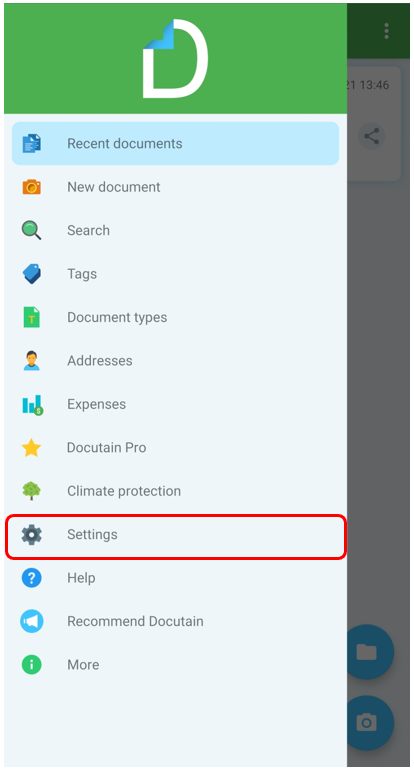
Tap on "Settings" in the main menu
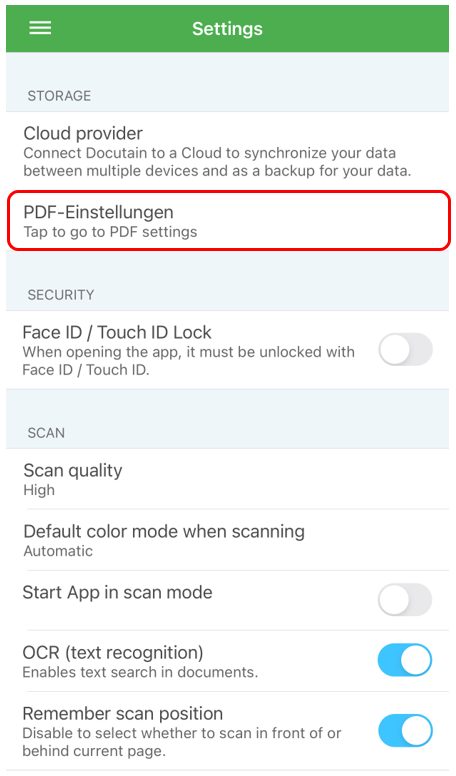
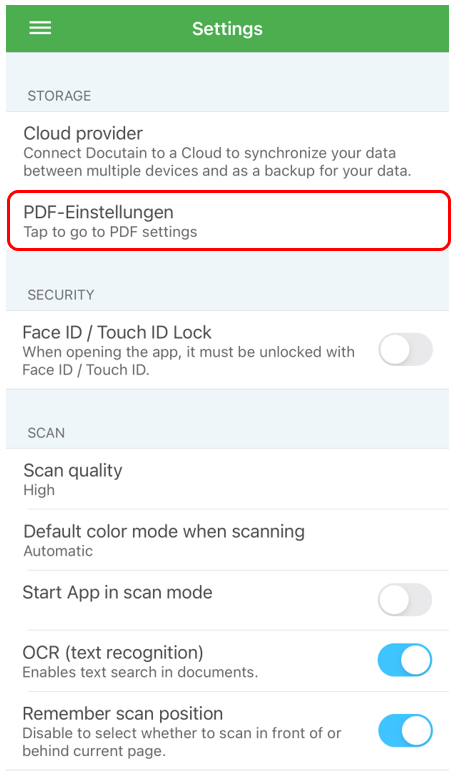
In the storage area, select the "PDF settings" option
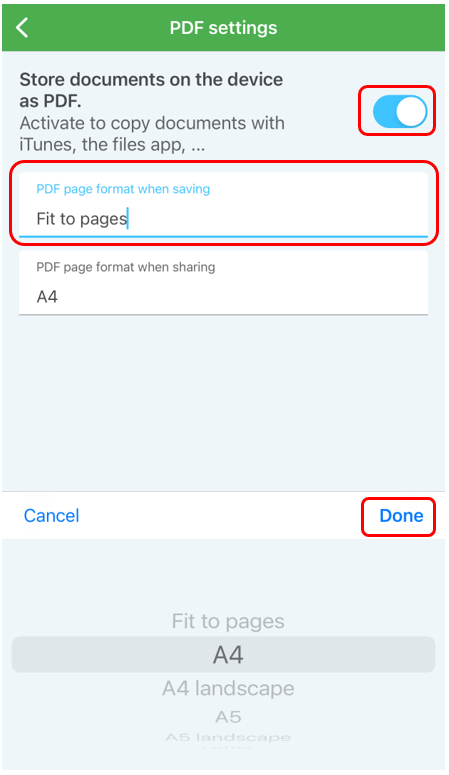
Here you can now specify the PDF page format when sharing by clicking on the option and then selecting the desired format and confirm with Done.
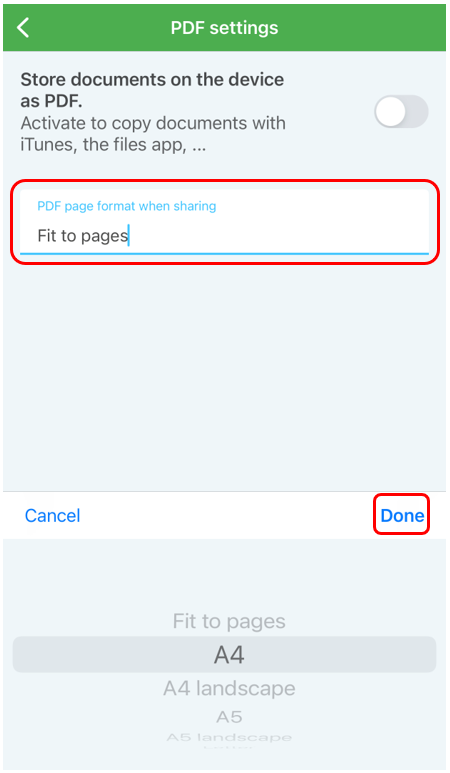
Adjusting the page format when sharing
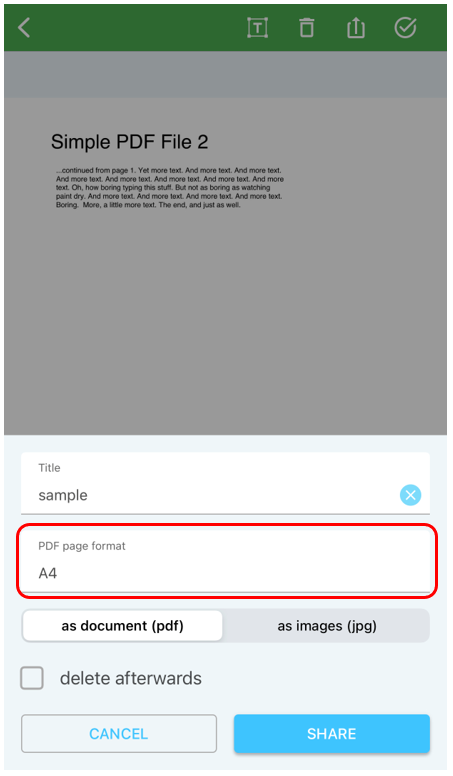
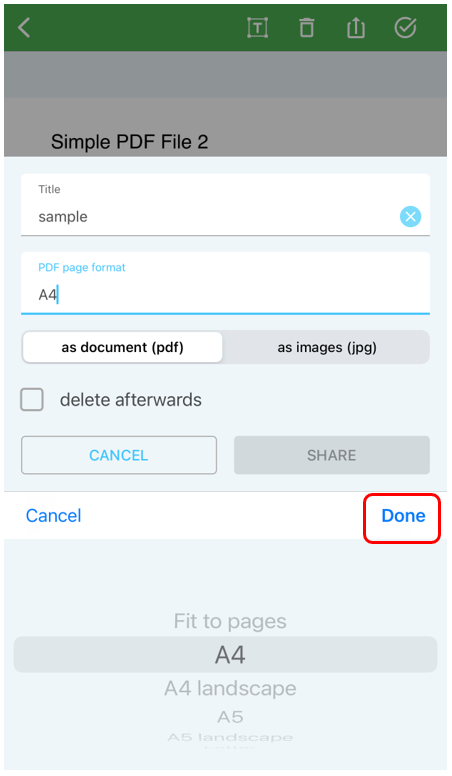
If you have selected the sharing function, you have the option for changing the page format by tapping on "PDF page format" and confirm with tap on Done.
2. Set page format for locally saved PDF documents
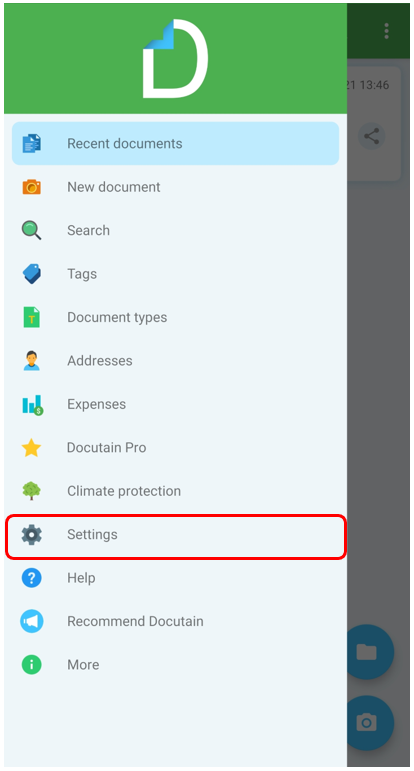
Tap on "Settings" in the main menu
In the storage area, select the "PDF settings" option
Now you can set the PDF page format when saving by pressing the slider to the right and then selecting the desired format and confirm with tap on Done.
Comments
0 comments
Please sign in to leave a comment.